Your own design, kept
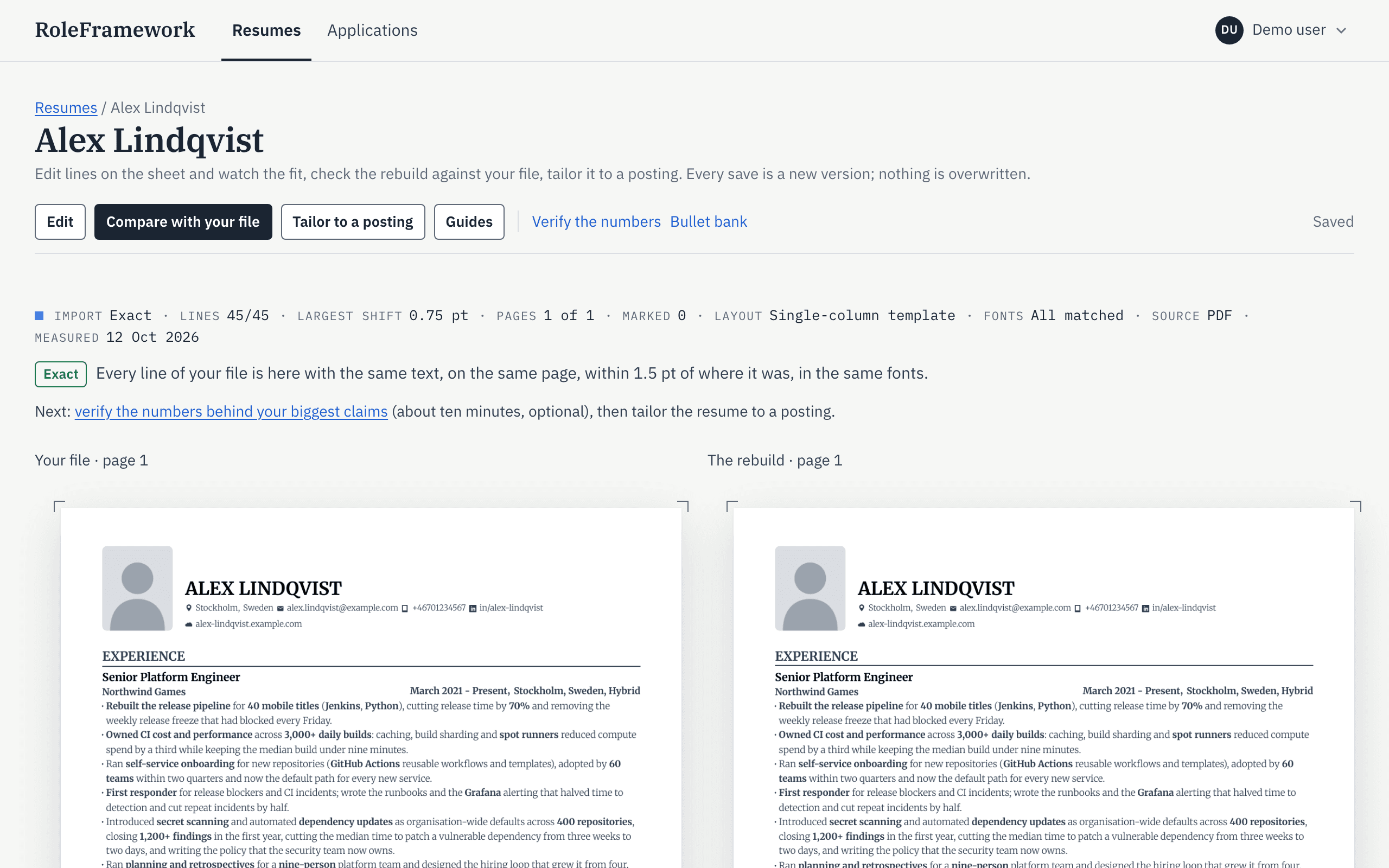
Your original and the editable copy side by side, with the match measured line by line. Exports are ATS-friendly: every line is real, selectable text, in reading order, column by column.
Keep your resume as it is. Change only what is true.
Free during the beta, then a paid subscription. No payment details are asked, and you hear the price before the beta ends.
Import the resume you already have and get an editable copy that looks the same, measured line by line against the original. Every change is something you confirmed is true, and every application is tracked against the version you sent.
Free during the beta, then a paid subscription. PDFs printed from a browser import Exact today, and PDFs from Word or LaTeX came back Exact or Faithful in our tests. What works today
What the marks mean
This version
Try it on your own resume.
Bring a PDF, a Word file or a Google Docs link.
The example from the top of the page, one step at a time: imported, compared line by line, tailored with facts you confirmed, and checked before export.
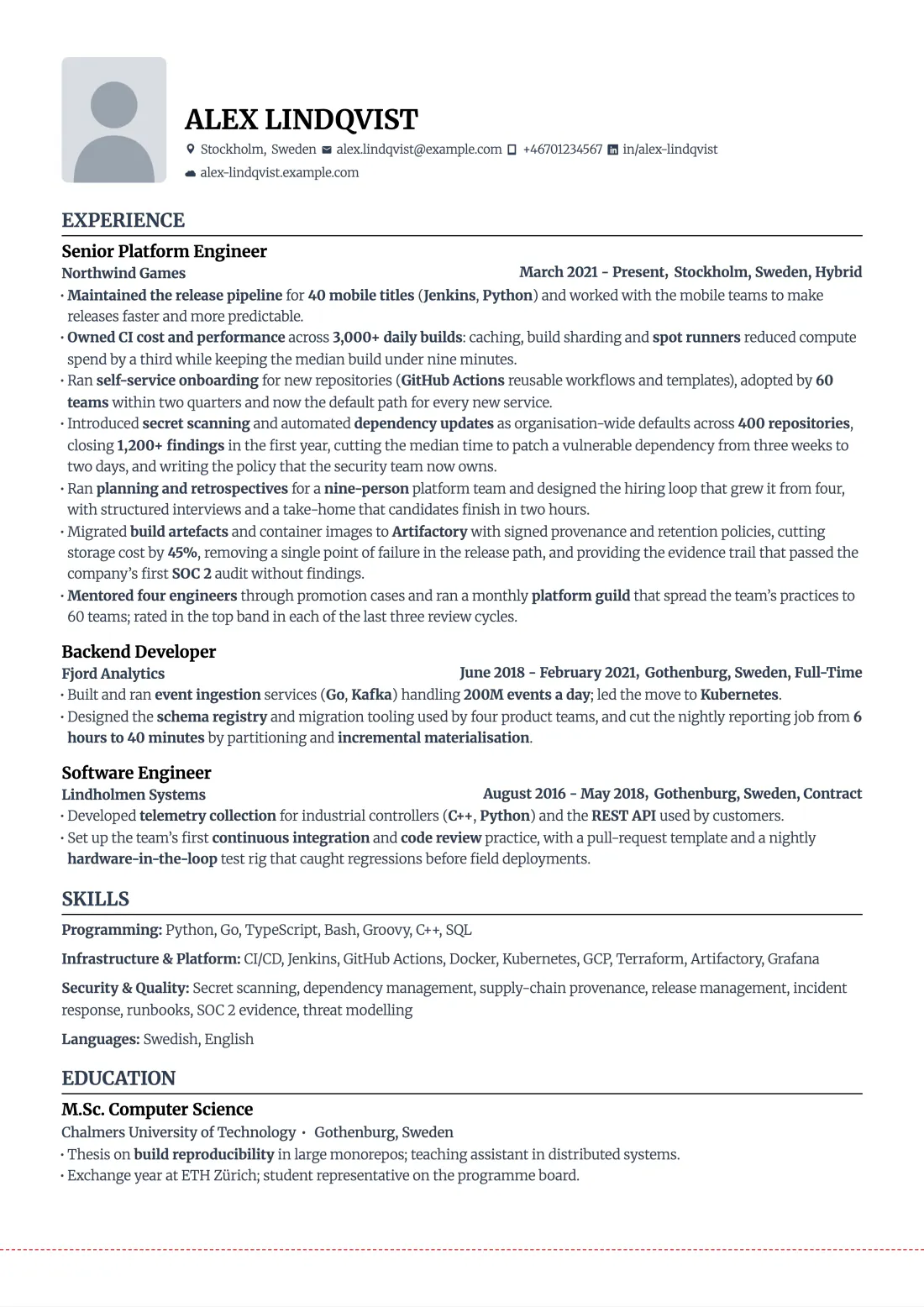
Example: a synthetic resume rendered by RoleFramework. The import was measured; the question, the answer and the three changes were written by hand.
Before
After
1Import
Start with the resume you already have. This one is a PDF.
1Import
RoleFramework rebuilds it as editable code, renders it and compares the two, line by line.
1Import
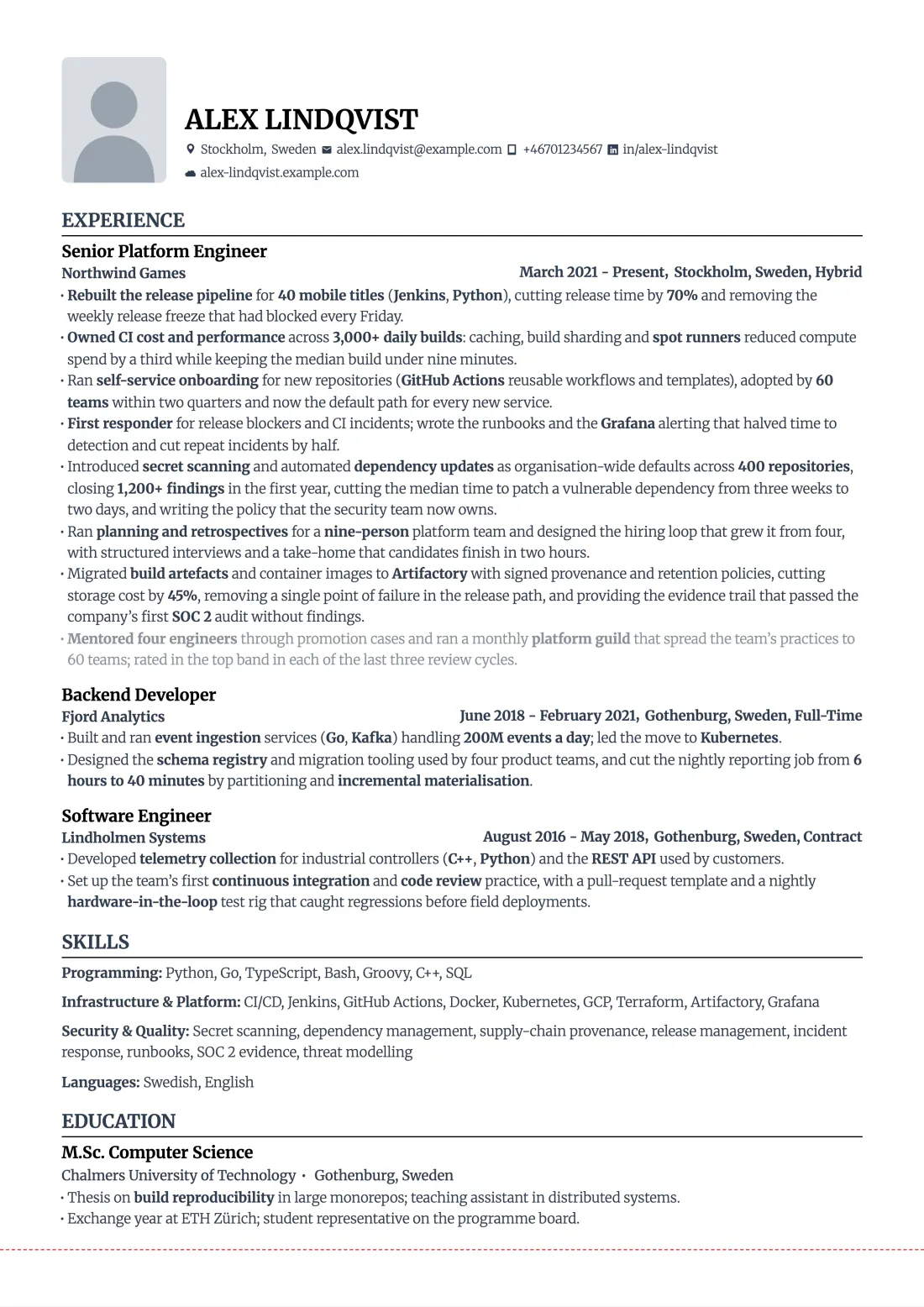
Exact: the same page, every line identical and in place.
43 of 43 lines identical, largest shift 0.75 pt, measured 12 October 2026.
2Confirm what is true
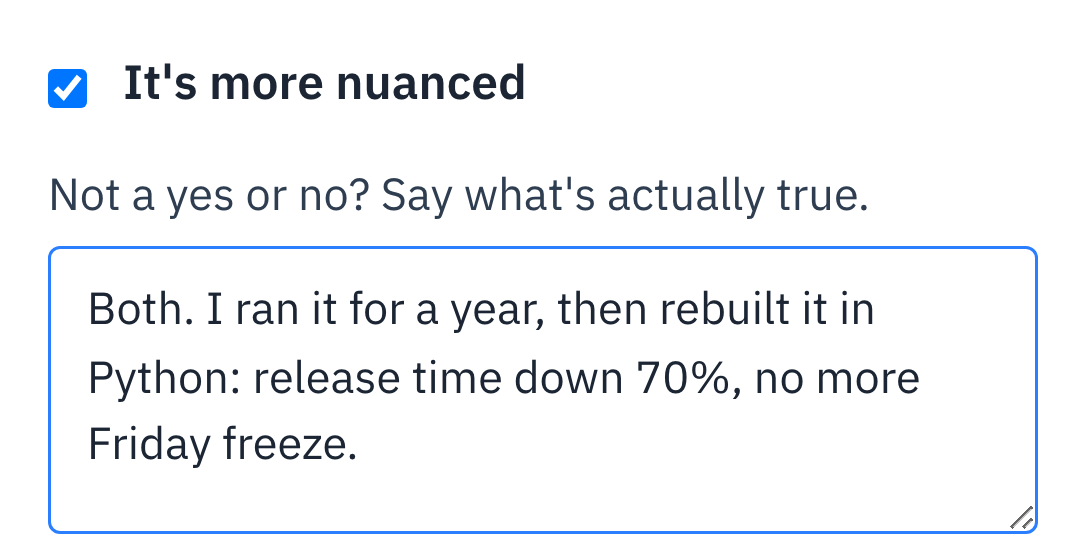
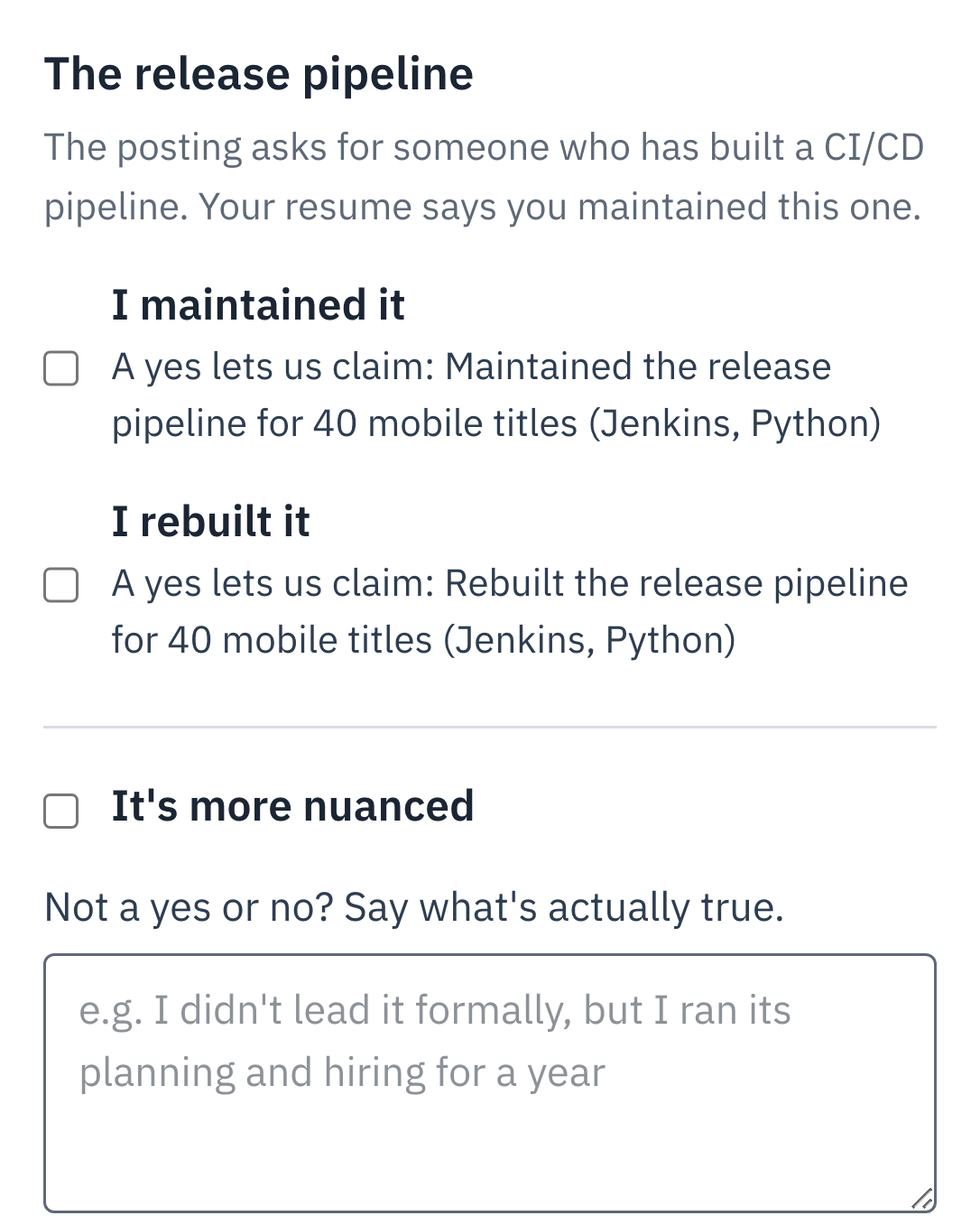
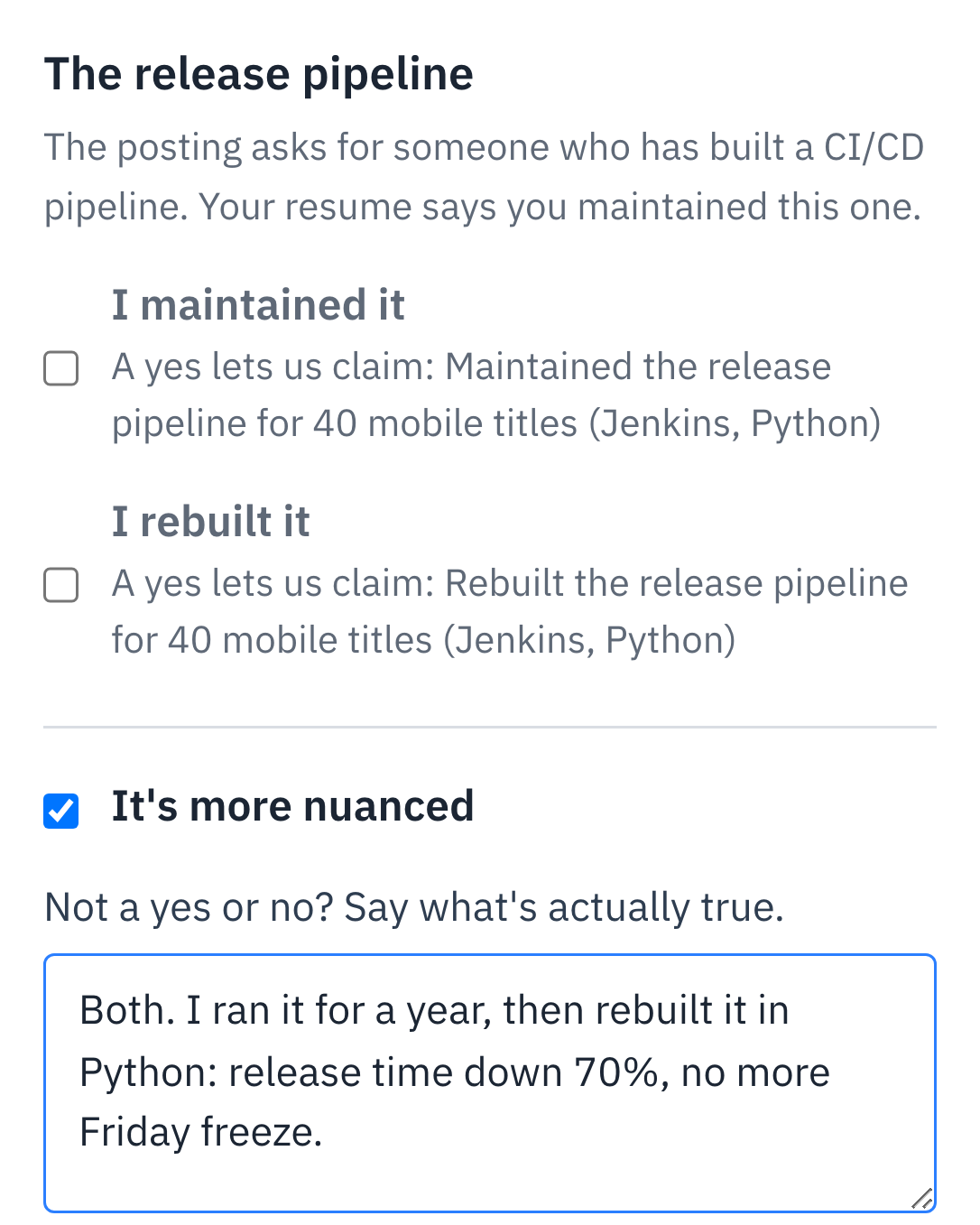
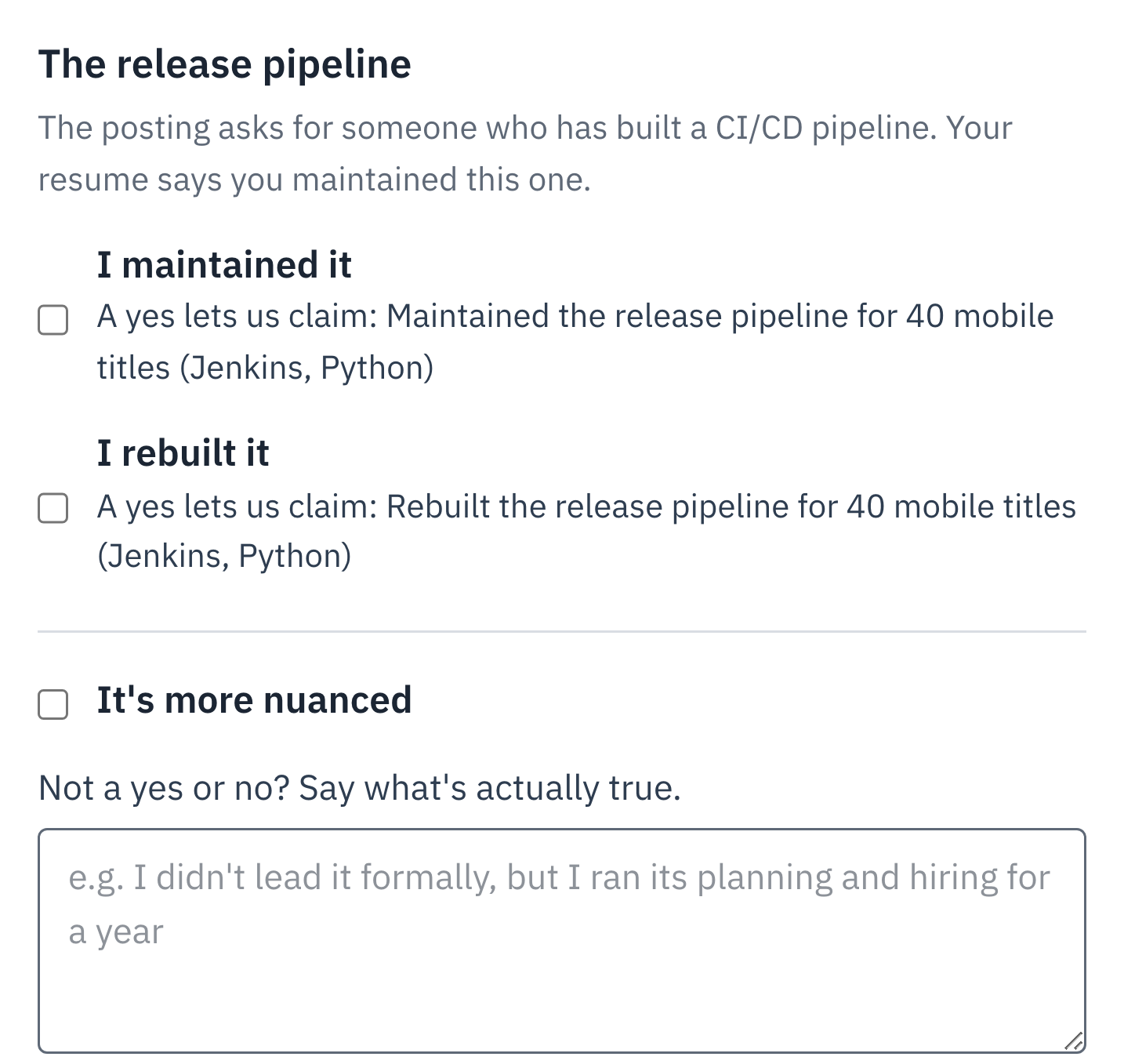
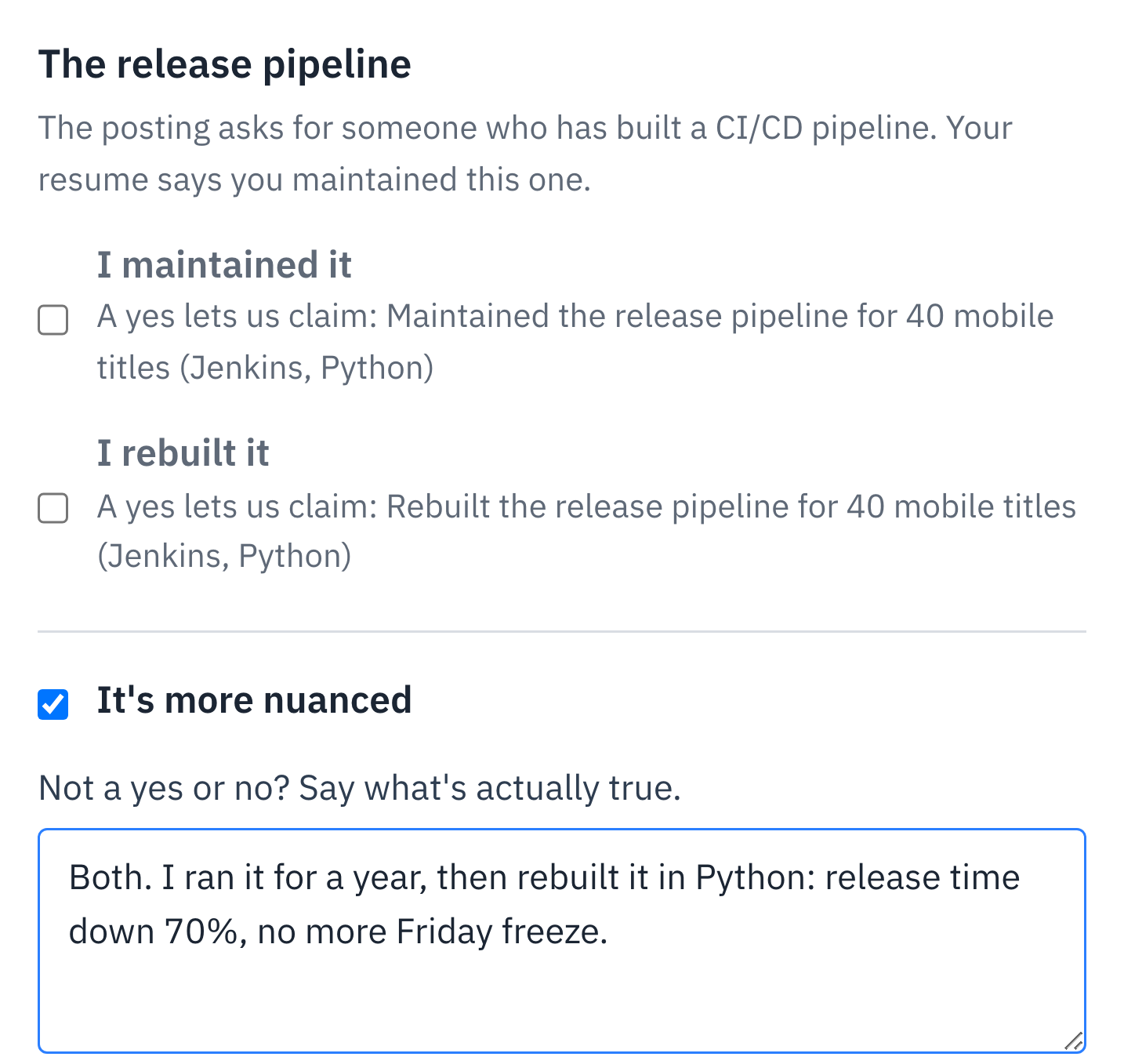
It asks before it writes: did you maintain the release pipeline, or rebuild it?
Answers become facts; anything you skip is never claimed.
Example: real interface, synthetic content.
3Tailor to the posting
The draft changes only what those facts support, and each change shows its receipt.
Reworded
Supported by 2 facts you confirmed
Added
Supported by 1 fact you confirmed
Cut
Least relevant to this posting
Page limit
The dashed red line is the page limit. The sheet shows how much room is left.
Seven checks before export
Recorded in the product on 12 October 2026, with a synthetic resume and a fictional job posting. The fit rating and the draft are written by the model; waiting time is cut and nothing is sped up. There is no sound; captions are on.
See how your own resume imports.
Every import is labelled Exact, Faithful or Rebuilt before you change a line.
It is stored in your account, and the database refuses access from any other account. Before any text goes to the language model, your name, contact details, links and photo are removed. Nothing is sold or used for advertising.
PDFs, Word files (.docx) and Google Docs links work, up to 10 MB and 10 pages. A PDF or Word file is compared line by line with its original and labelled Exact, Faithful or Rebuilt before you change anything; for a Word file, the original is LibreOffice's rendering of it. A scanned resume is read with text recognition instead and labelled Rebuilt from a scan: check its lines against your scan.
Free during the beta, and no payment details are asked. After the beta, RoleFramework is a paid subscription; beta users hear the price before the beta ends. Nobody is charged without choosing to subscribe.
Yes. Under Account and data in the account menu, “Delete my account…” deletes your account and everything stored for it, and “Download my data (ZIP)” gives you a copy first. What each model call cost and a security log are kept; neither holds resume or posting text.
RoleFramework is in beta: what works today says which files import and how closely, and the changelog shows what has shipped, by date.
Free during the beta, then a paid subscription. No payment details are asked, and you hear the price before the beta ends.
Upload the PDF or Word file you already send, or paste a Google Docs link. You get an editable copy, labelled Exact, Faithful or Rebuilt.
Answer short questions about the numbers and context behind your work. Answers become facts; anything you skip is never claimed.
Paste the posting. You get a fit rating with reasons first, then a draft where every changed line shows the facts behind it.
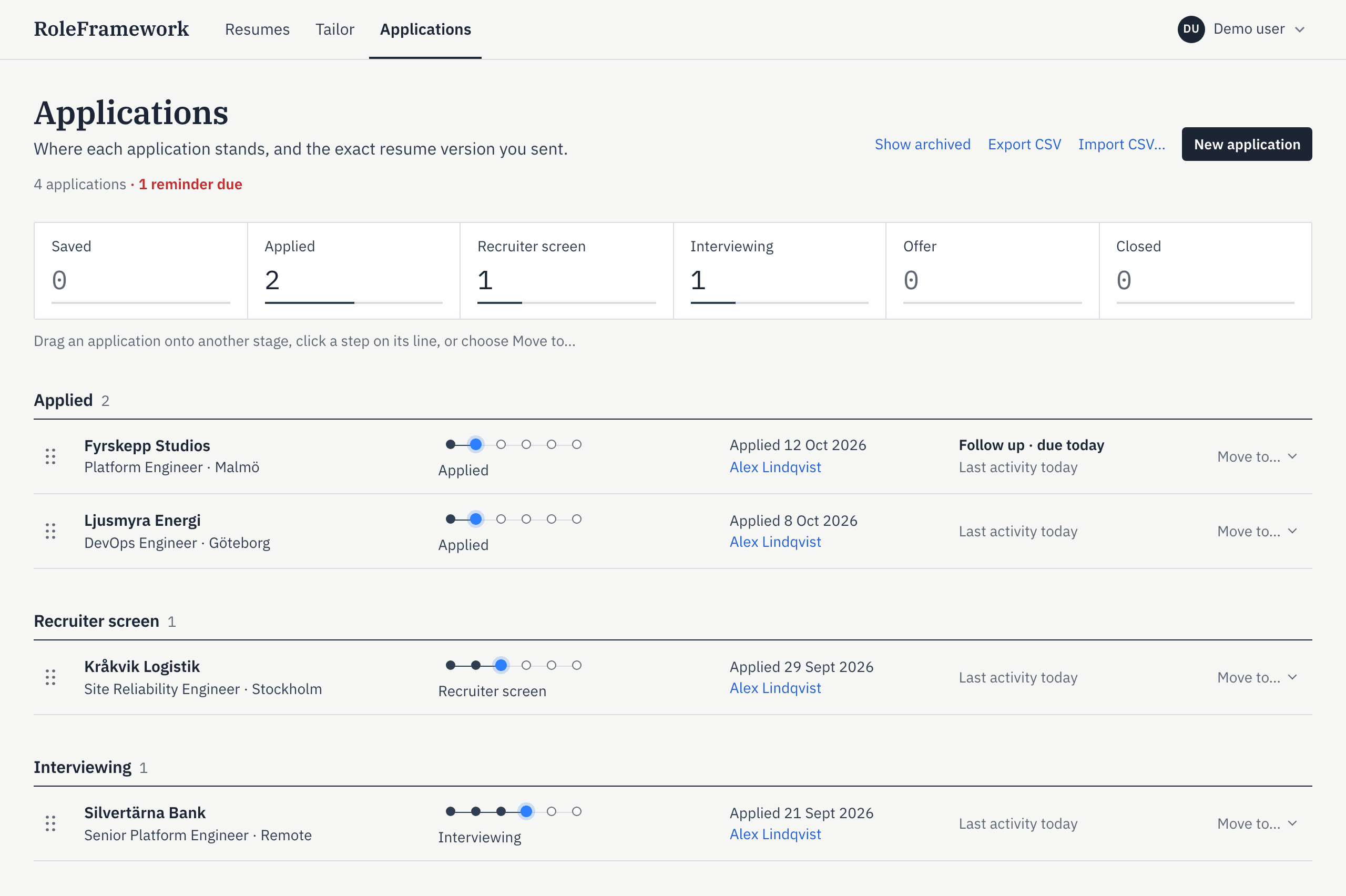
Mark it applied. The posting, the exact version you sent and each interview round stay together.
Your original and the editable copy side by side, with the match measured line by line. Exports are ATS-friendly: every line is real, selectable text, in reading order, column by column.
Questions about your work turn into facts you approved, and a draft can use only those.
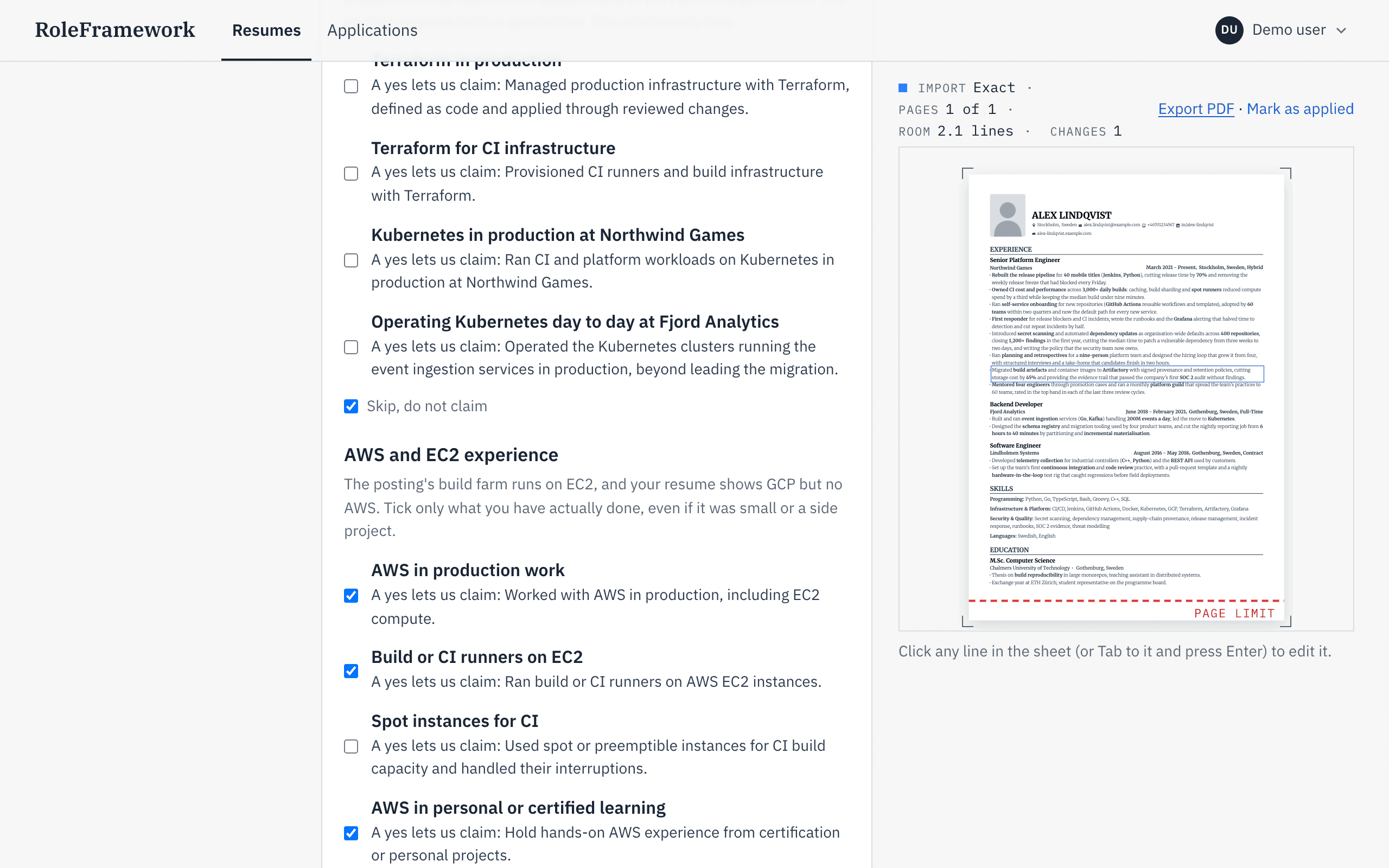
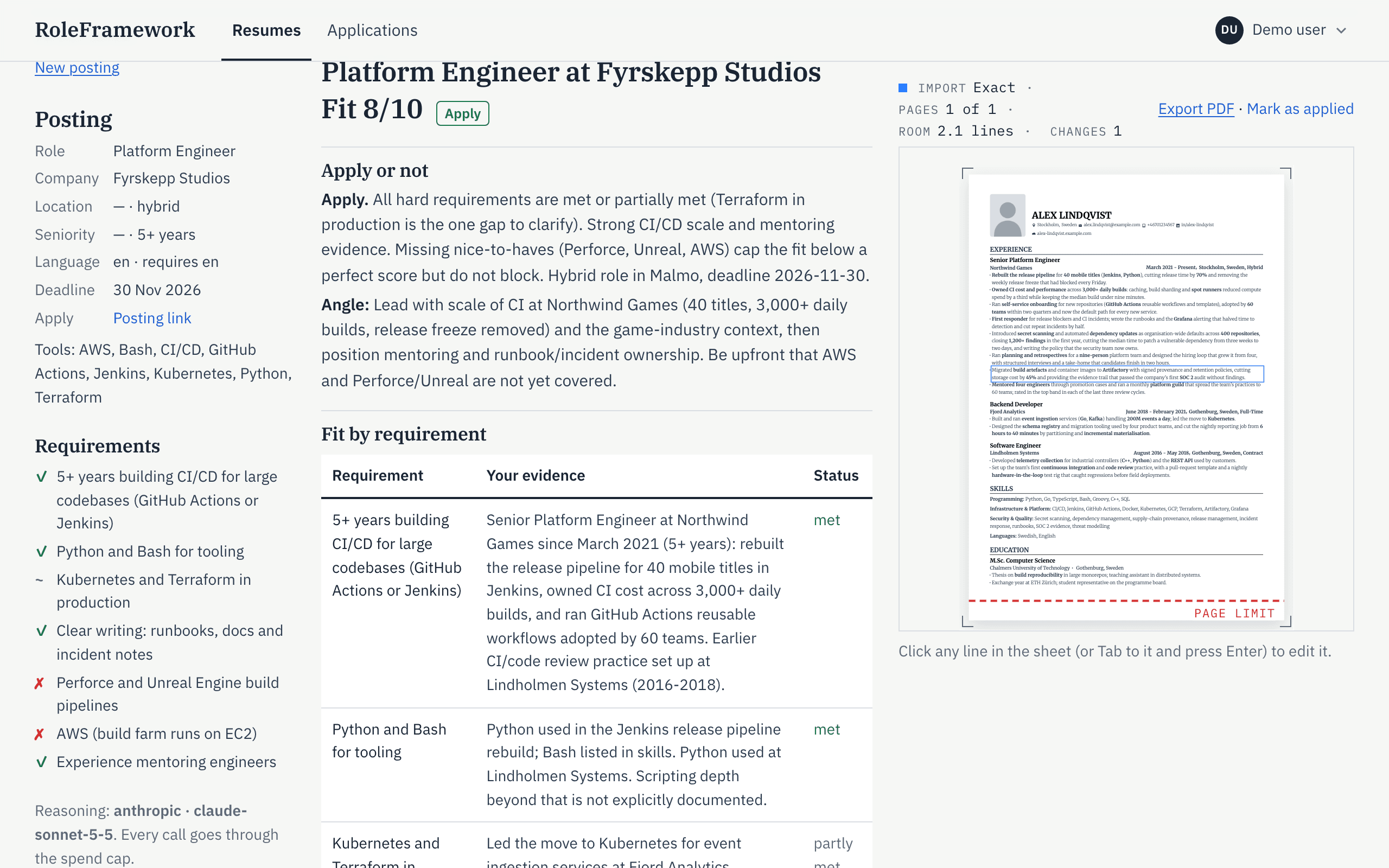
Every changed line points to the facts behind it, and the page limit is drawn on the sheet.
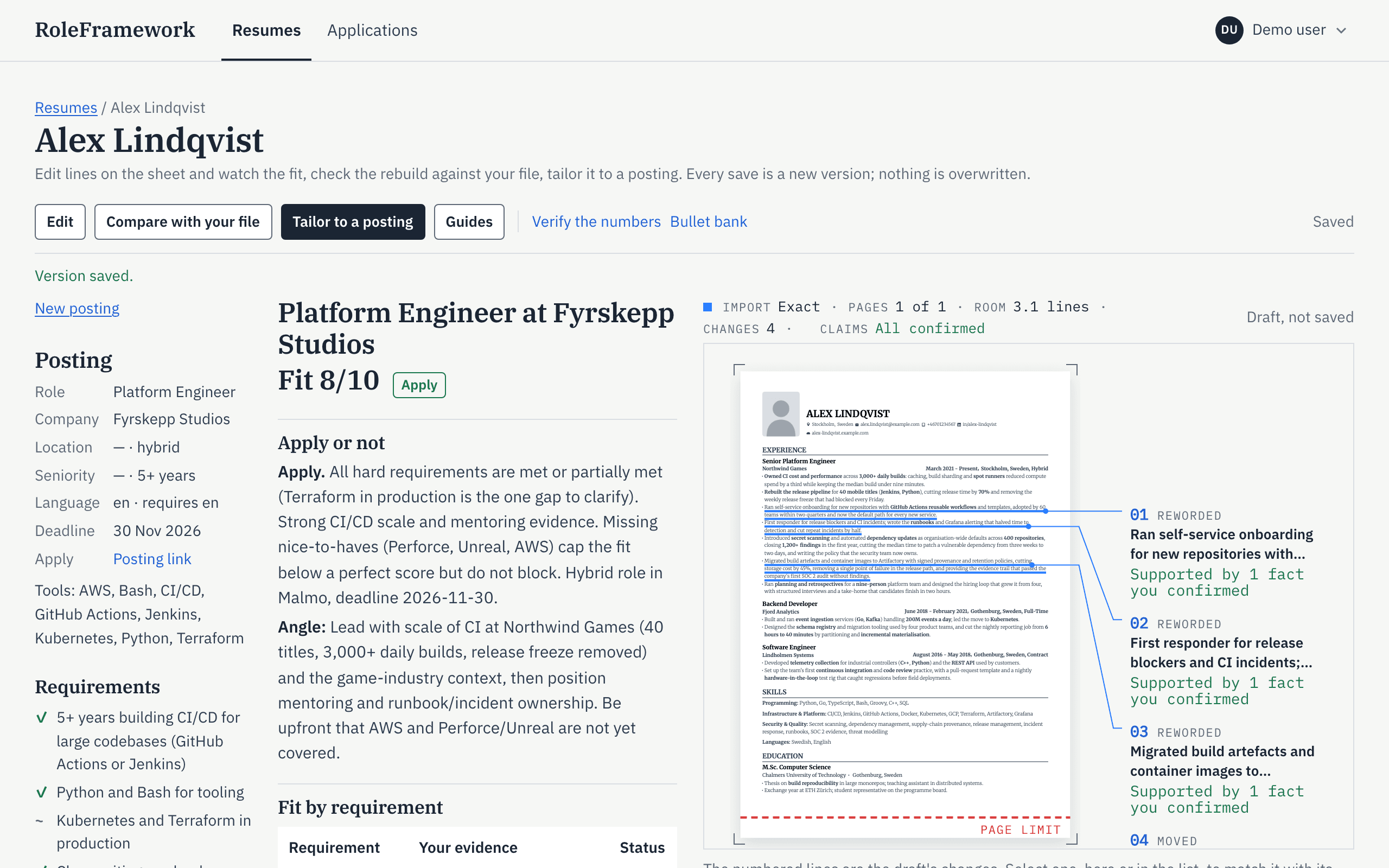
The posting is read against your resume and rated with reasons. Salary and interview research come from a web search, with each source listed and dated.
Your applications on one page, grouped by stage, each linked to the exact version, its interview rounds and its reminders.
Your name, email, phone number, links and photo are removed before any text is sent to the language model.
This site sets no cookies before you log in or create an account, and runs no analytics or advertising scripts.
From your account page, download everything stored for you as one ZIP archive, or delete your account with all of it at once. A single resume or application can be deleted on its own.
The public beta is planned on servers in the EU, with the database in Stockholm.